Stream Keeper Security Events
Follow this step by step guide to allow SlashID to monitor and protect your Keeper Security environment.
Step 1: Configure External Logging
- Log in to the Keeper Admin Console, and navigate to 'Reporting and Alerts' > 'External Logging'.
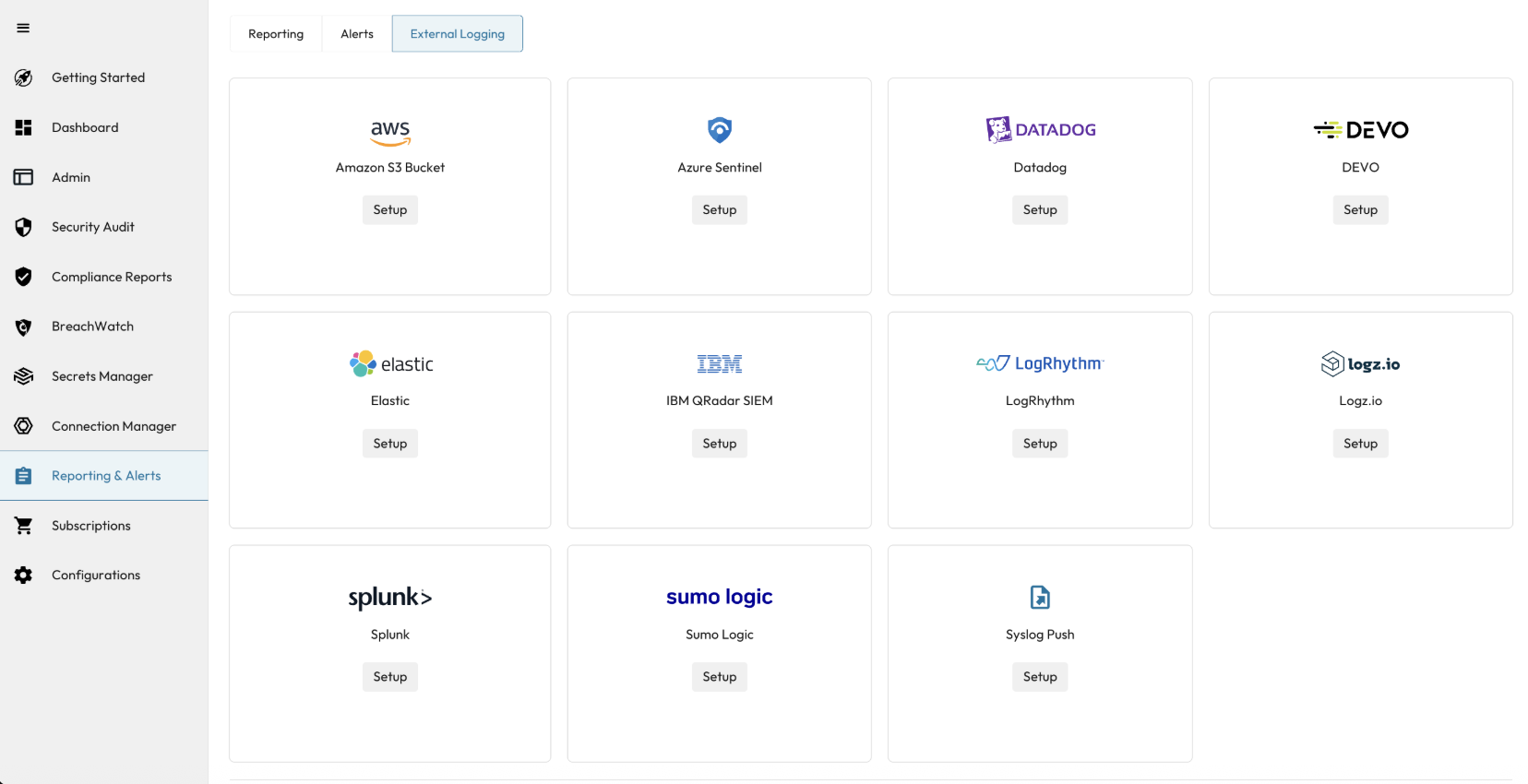
- Select 'Sumo Logic' from the list of available SIEM integrations.
info
SlashID functions as a Sumo Logic-compatible endpoint. You do not need a separate Sumo Logic account.
Configure the target
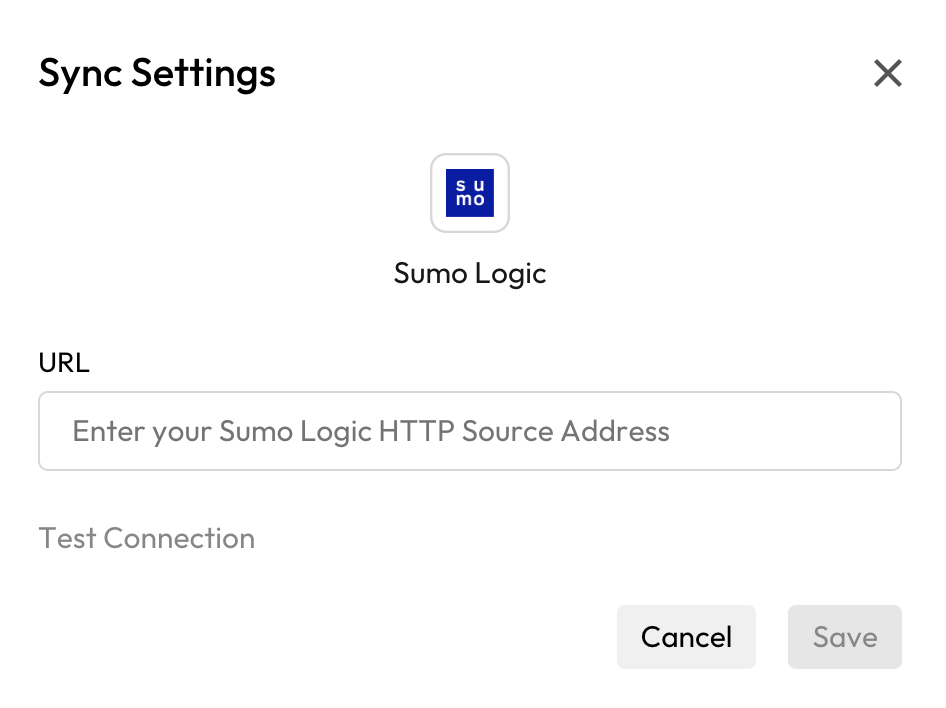
- In the configuration window:
- Enter
https://api.slashid.com/nhi/events/v2/keeper_accountin the 'HTTP Source Address' field. - Add your SlashID Data Source Event Streaming Token as a query parameter:
?token=<YOUR_TOKEN>. - Click on the 'Test' button to verify the connection.
- Once the test succeeds, click on the 'Save' button.
- Enter
Verify Configuration
- Execute a connection test; success enables the Save button.
- Allow several minutes for logs to begin flowing after configuration.
- Keeper logs contain details of user activity such as logins, password changes, vault access, shared item interactions, and administrative actions.